There’s revenue in your pipeline you don’t know about yet

Business Intelligence

Most wholesale platforms stop at basic reporting. We built the most robust BI in the industry — so every data point leads to a decision.
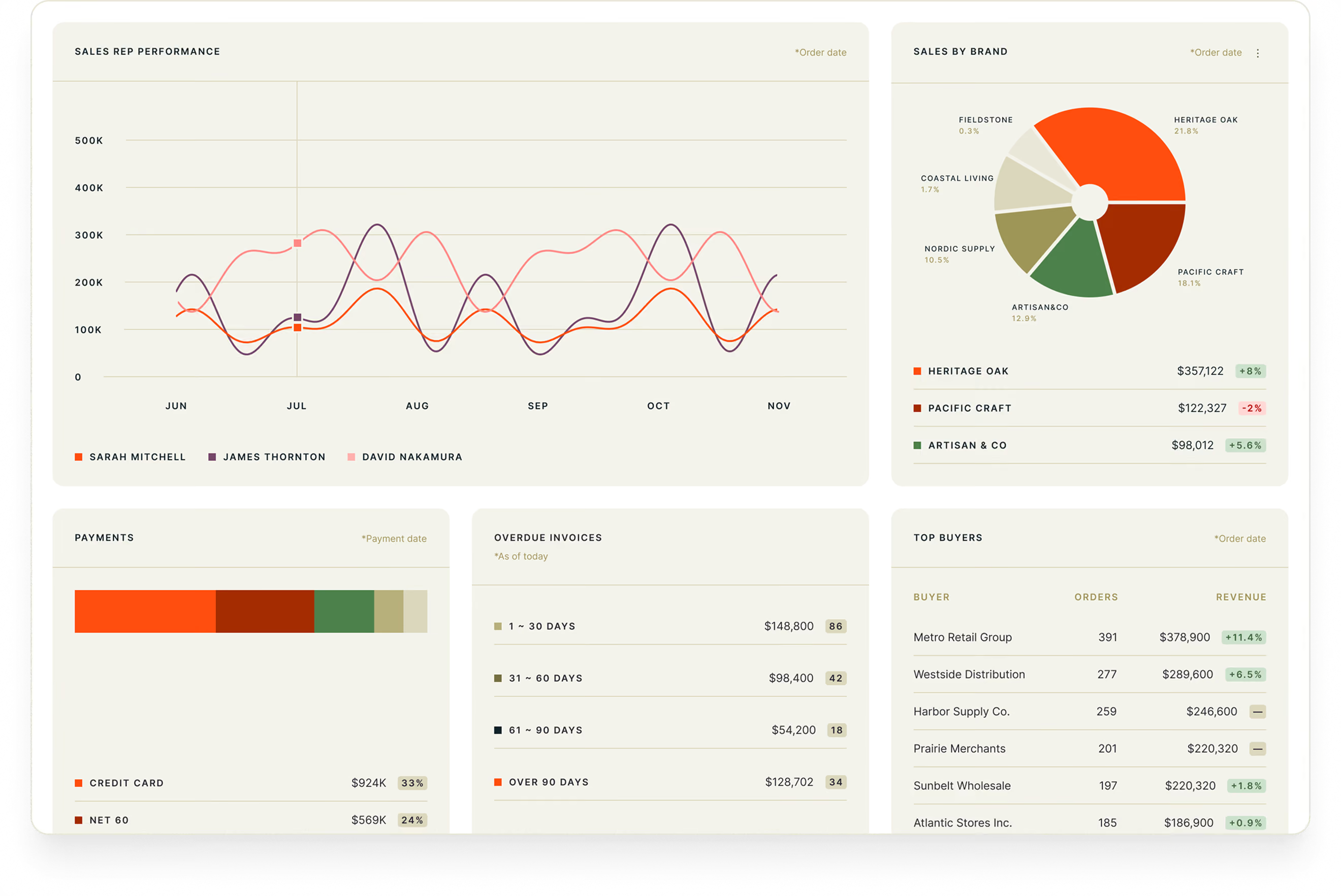

One clear view

the difference

Without Brandboom BI

With Brandboom BI

Poor visibility
Full lifecycle visibility - orders, invoices, payments, rep performance, and buyer engagement, all in one place
Dizzying Excel sheets
One beautiful dashboard
Struggling to make sense of the numbers
Easily get clarity on the smart decision
Managing analytics through CSV exports, spreadsheets, ERP systems, or expensive BI tools
Native analytics built for wholesale - no external tools required
No idea whether invoices are getting paid or which reps are pulling their weight
Know what’s been collected and who’s performing, the moment you log in

Other wholesale platforms

Software you have to fight with
Integrations that break
Ghost town marketplaces
Manual grind and expensive trade shows
12-month contracts for $10K
Hours on the phone with tech support

The Brandboom way

Software that makes your job easy enough to figure out before lunch
Reliable syncs that work — with transparent documentation
Marketplace with 200,000+ active buyers
AI agent working 24/7 to find buyers and close deals
30-40% less than legacy platforms — and cancel anytime
Humans who respond — and tools that don’t require you to dedicate days  to troubleshoot

Open it. Understand it. Act on it.

Minus the stuff you dread

Most BI tools are built for e-commerce, then retrofitted for wholesale. 

After 17 years in the industry, we build intelligence specifically for B2B—giving you the exact insights required to make smarter wholesale decisions.

features

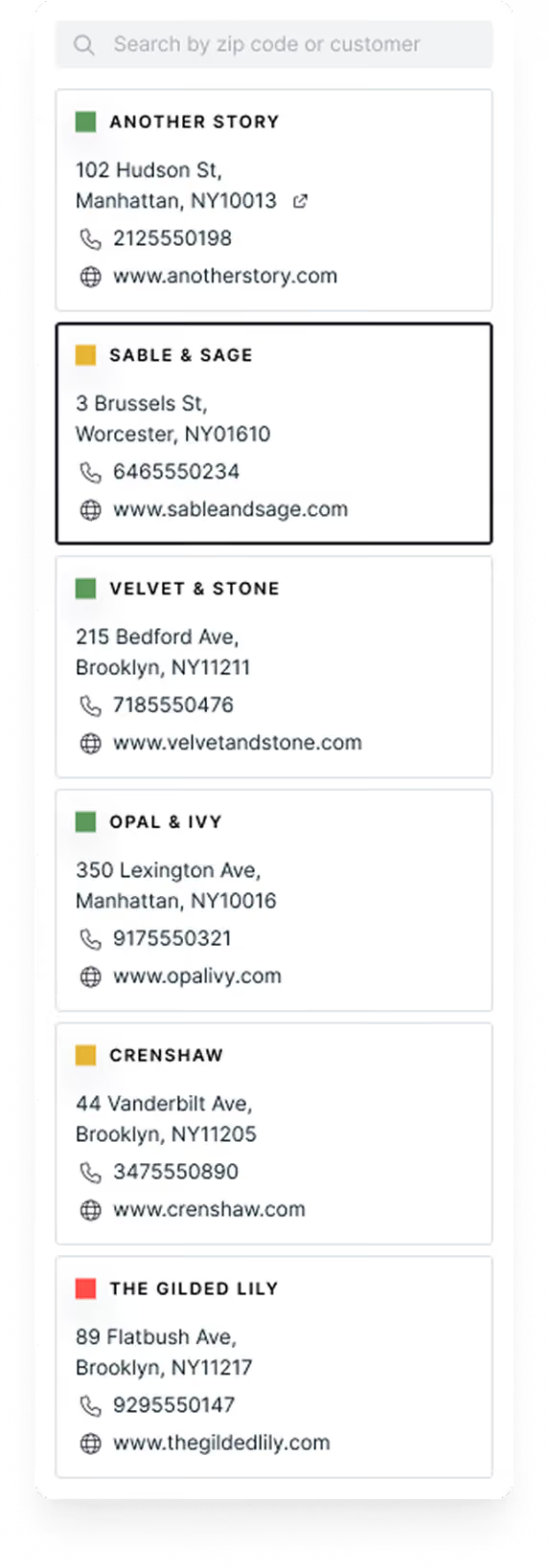
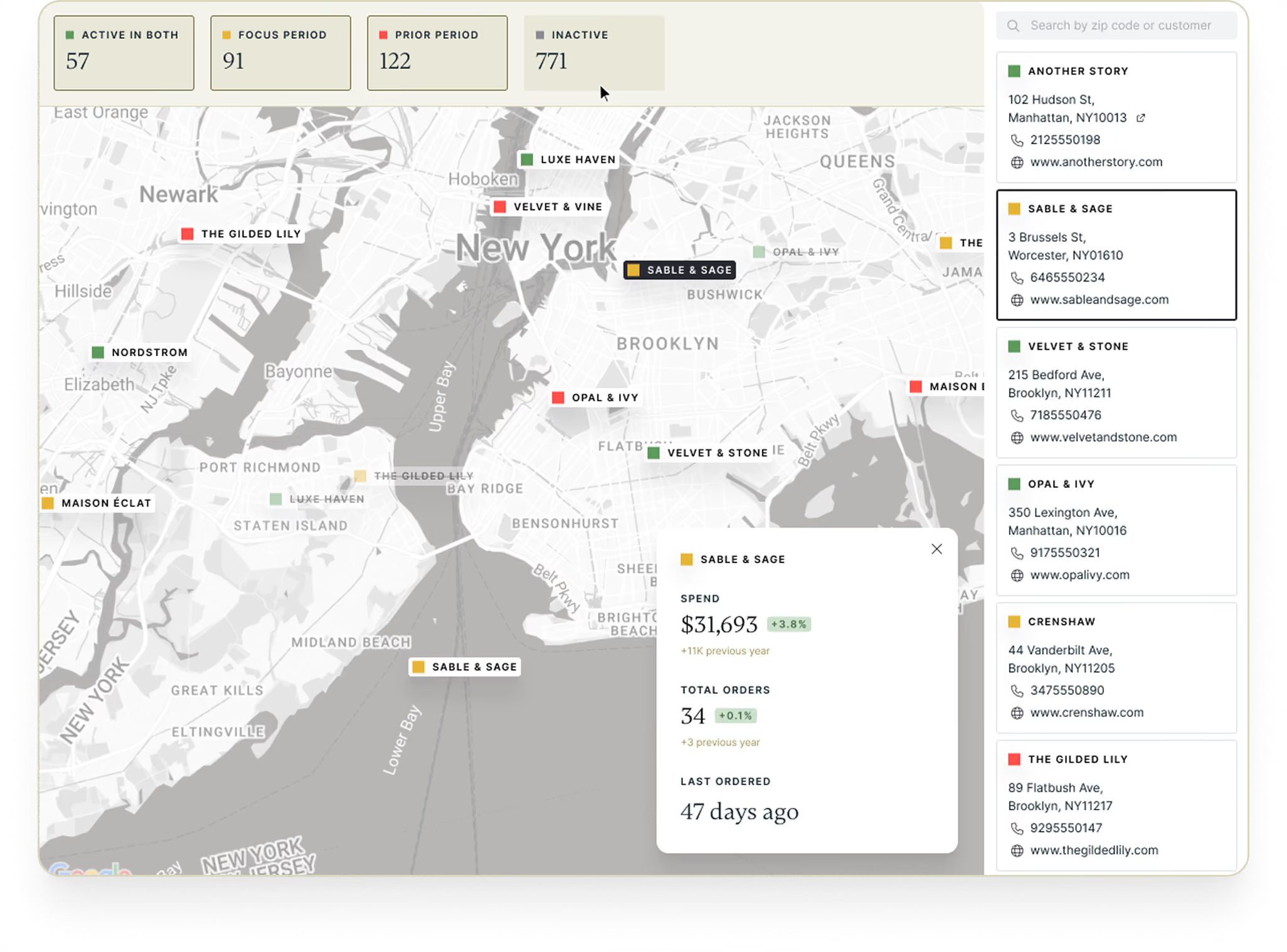
Visualize your buyers on a map

buyer map
  • Get an overview of where your buyers are — color-coded by who's ordered, reordered, or gone quiet.
  • Reps open the map before a road trip and instantly know where to go — based on which accounts lapsed or have high order volume.
answers

Which buyers need follow up?

Where should your reps go next?

Which high-value accounts have gone quiet?
Track invoices paid over time
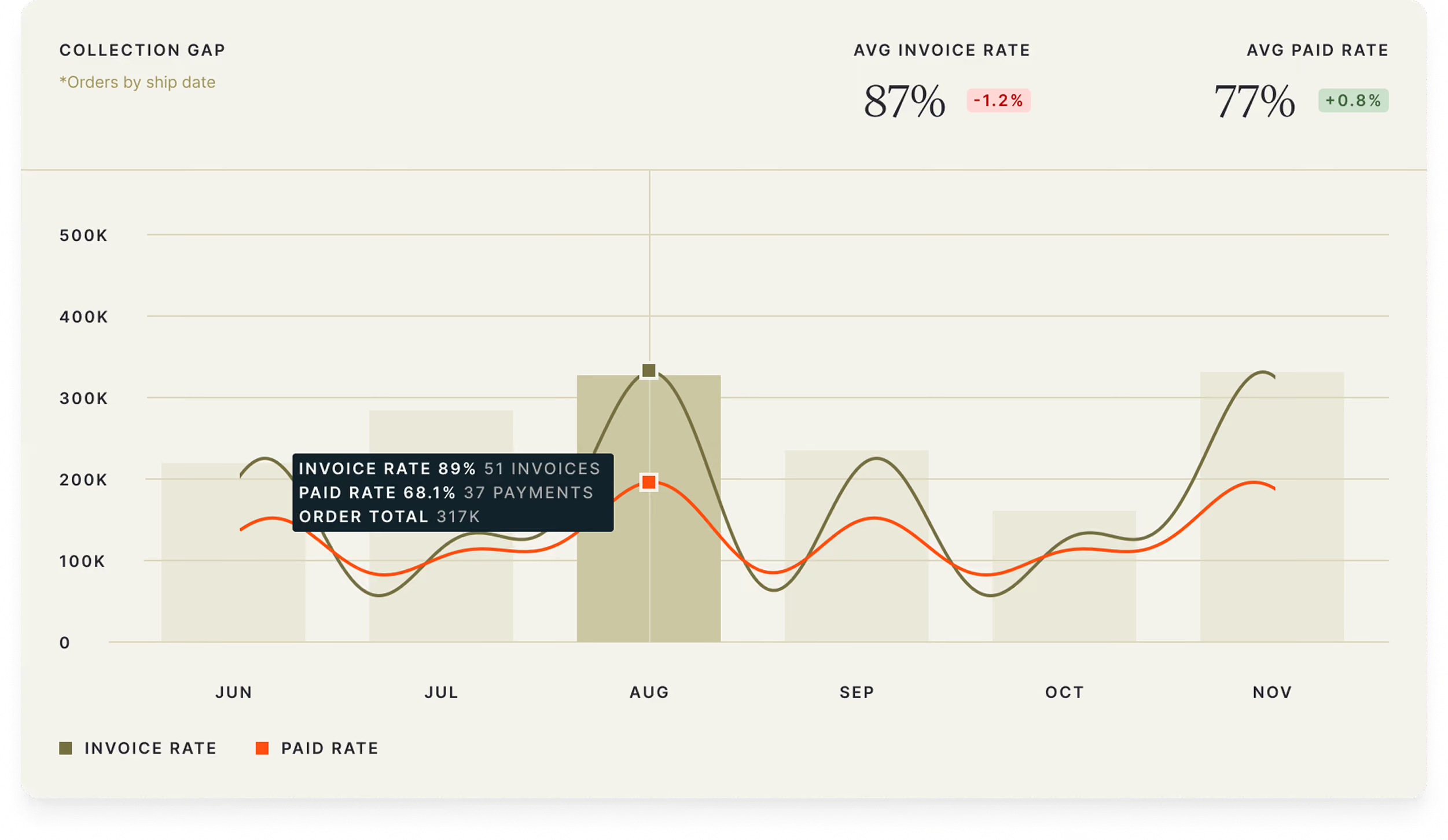
collection gap
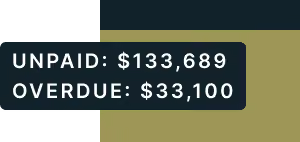
  • Surface the difference between orders placed and revenue  collected, so it can be tracked and closed over time.
  • Keep your finger on the pulse of unpaid invoices so you know exactly how much money you’re owed.
answers

How much revenue hasn’t been collected?

Which invoices need to be chased?

Where is revenue getting stuck?

View your full cycle health

full lifecycle cascade
  • Get a 3,000 ft view of the full lifecycle — from Order Revenue → Invoice Revenue → Collected Payment.
  • Track period-over-period performance at every stage—giving you full pipeline visibility in one place, way beyond simple order counts.
answers

How much of your revenue actually makes it from order to cash?

Where is our pipeline leaking?

Are your orders converting to revenue on pace?
Get insights from Day One
historical data
Import Past Sales
  • Gain immediate clarity by importing historical invoice data—no need to wait for next season.
  • Bring in historical invoice data—even from outside Brandboom—to make smarter decisions from day one.
answers

How did we do last season?

What do our past invoices tell us about where to focus next season?

graph highlights

Every graph guides decisions

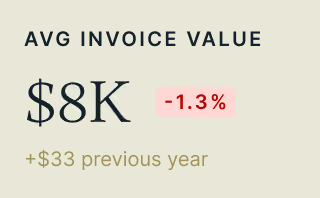
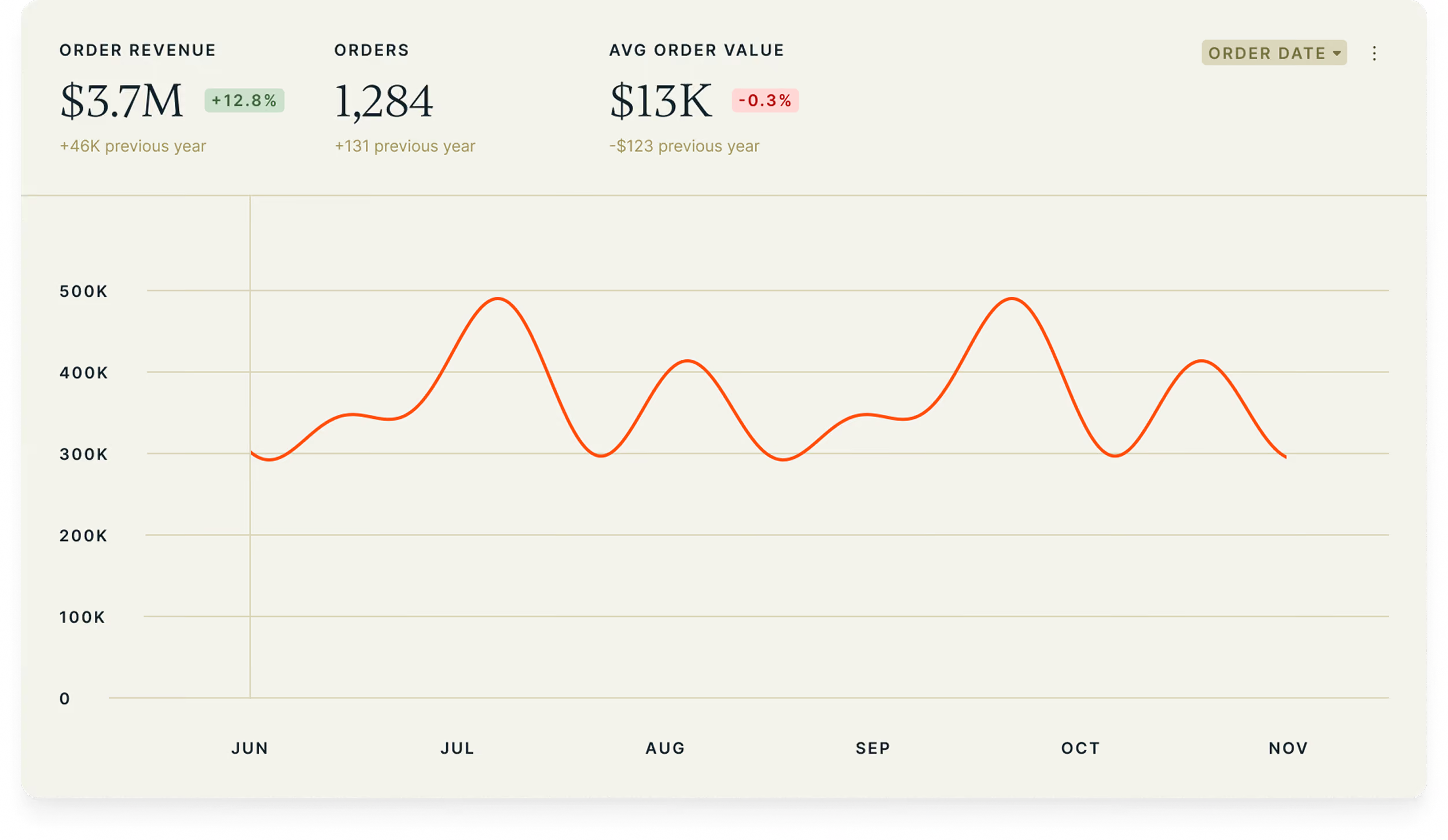
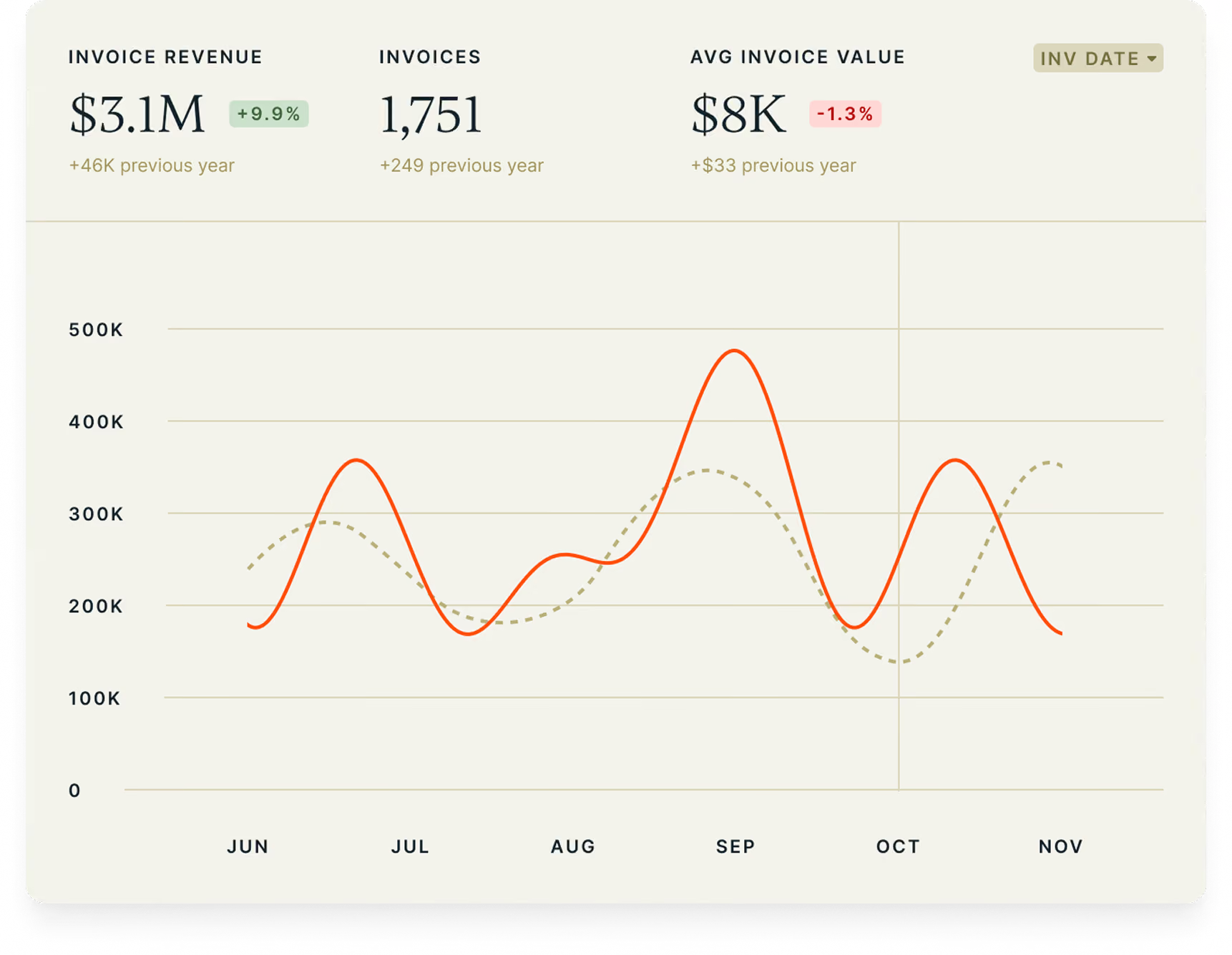
Revenue trends
Is revenue trending up or down? Where are dips and peaks?
Invoices
Which orders haven't been invoiced yet?
Payments
How much is collected vs. outstanding? Which payment methods are most popular?
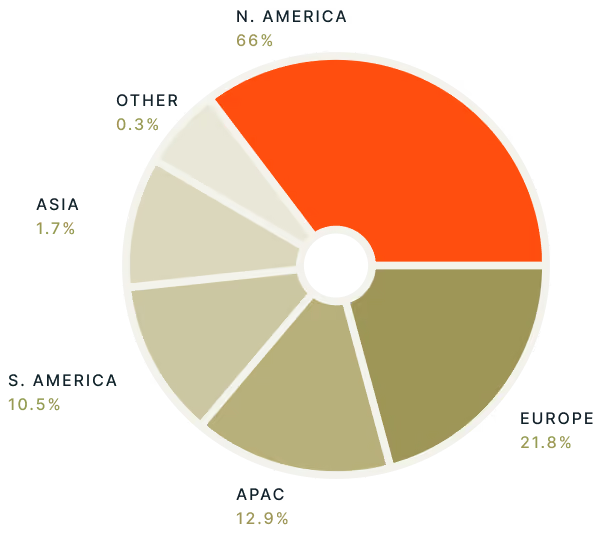
Sales by region
Which regions are driving the most sales?
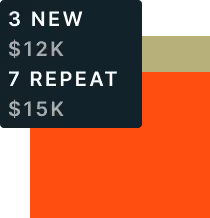
New vs. repeat buyers
How much revenue comes from repeat buyers — and how much from loyal ones?
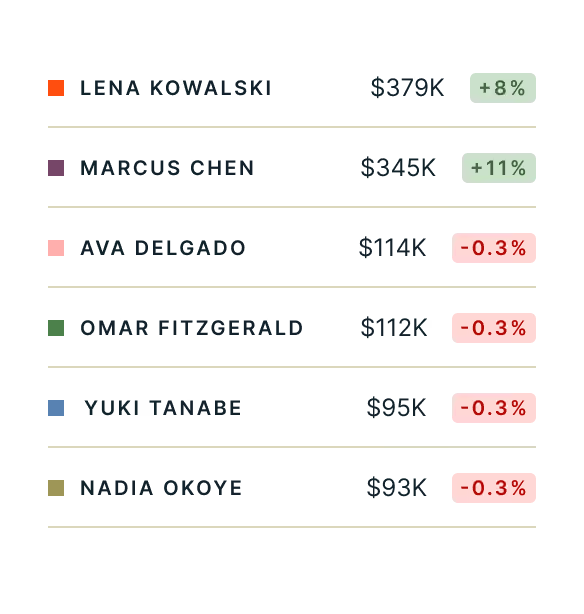
Rep performance
Which reps are performing best? Where are they located?
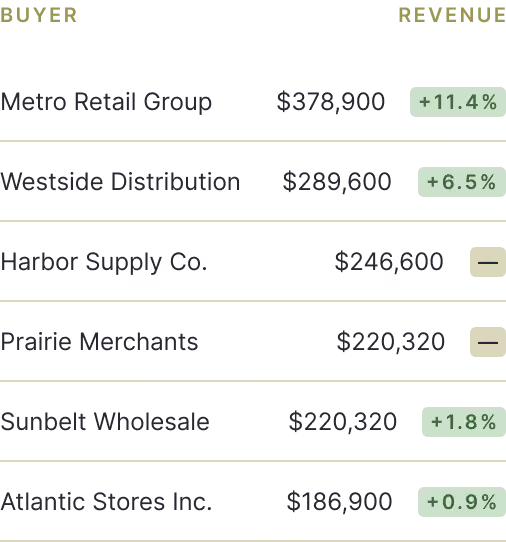
Top buyers & products
Which buyers and products drive the most revenue?
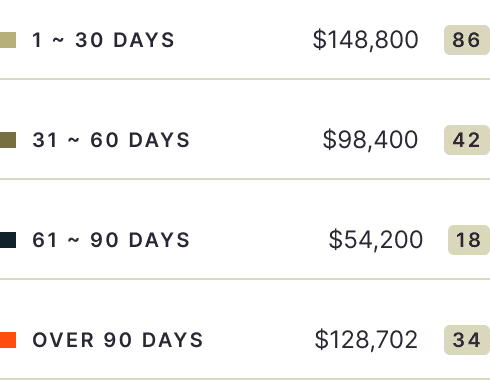
Overdue invoices
Which invoices are overdue — and for how long?
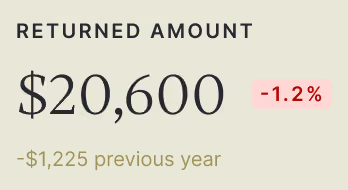
Returns
How many products are being returned, which ones, and why?
concierge chart building

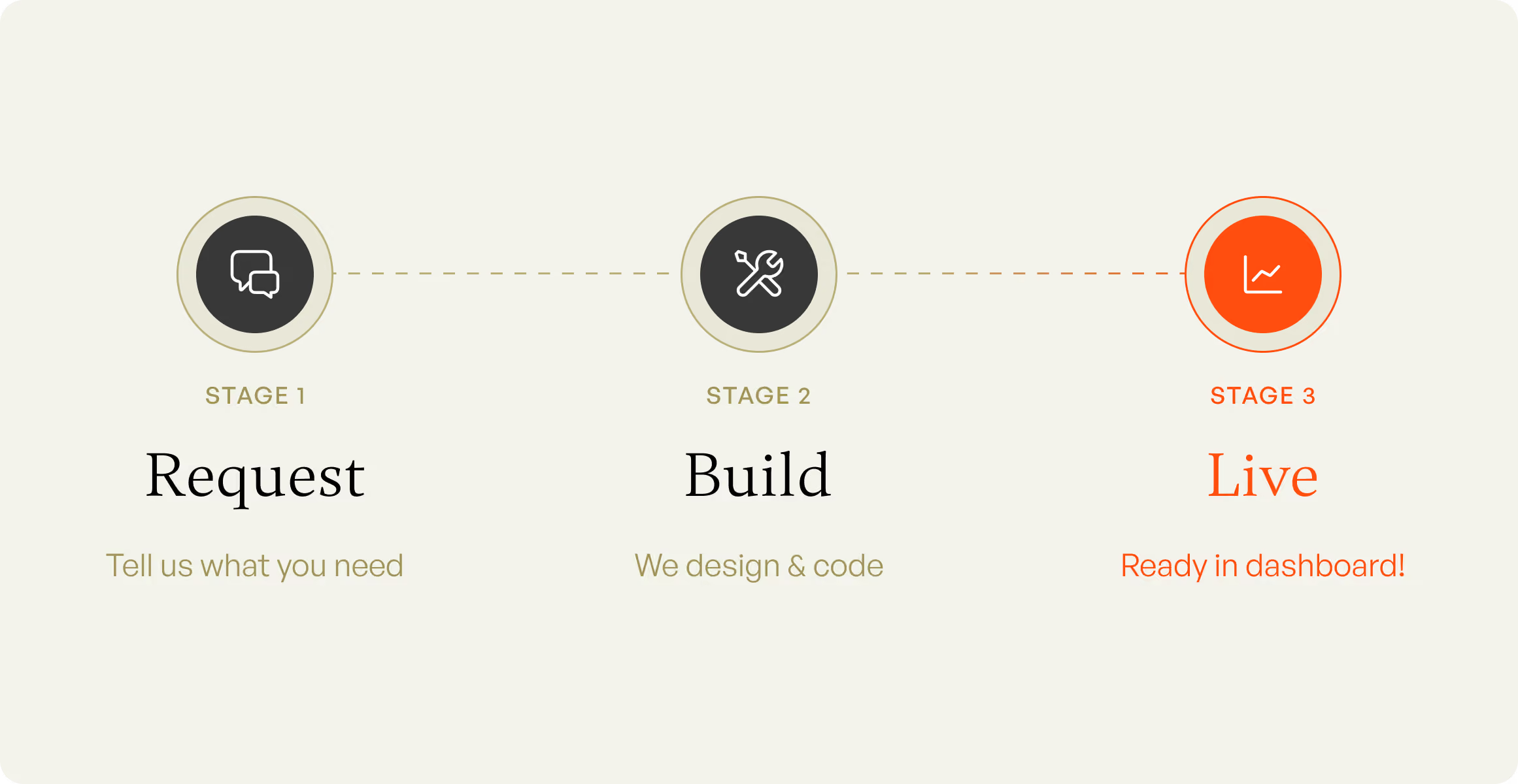
Tell us what you need. We’ll build it

Want a certain data view and don’t see it in the chart picker? Get custom charts built and added to your dashboard — in just a few days.
Finally, a dashboard your team won’t avoid

Chart picker

Customize your view to see only the charts you need. Clean dashboard with zero overwhelm.

Audit capability

Click into an anomaly to drill into that period for diagnostics. Zoom out for the trend. Zoom in for the cause.

Filter & comparison

Slice every chart by date range, brand, sales rep, time unit; compare to previous period or YoY.

Instant data

Reflects data as of the last transaction. No more manual daily exports to see current numbers.

Data exports

Take charts & insights out of the platform with preset CSV/Excel reports.

Frequently Asked Questions

What does a wholesale BI dashboard track?

Many BI dashboards only track revenue. A well-built BI dashboard tracks the full sales cycle — orders, invoices, payments, sales rep performance, and buyer engagement.

How is wholesale analytics different from e-commerce analytics?

E-commerce dashboards track revenue and stop there. Wholesale orders move through stages — order placed, invoice created, payment collected — each with its own date and status. Wholesale analytics need to track the entire pipeline, not just the sale.

What is the collection gap, and why does it matter?

The collection gap is the difference between what you’ve ordered and what you’ve collected — for example, $100K in orders might only translate into $80K in paid revenue. Tracking the gap over time shows you exactly what to chase.

How do I track whether my invoices are being paid?

The dashboard tracks what percentage of orders get invoiced and what percentage of invoices get paid. It also shows which invoices are overdue, how long they’ve been outstanding, and where to follow up next.

Can I see how my sales reps are performing by territory?

Yes. Rep performance is broken down by rep or territory, so you can see who's closing and where to focus.

How do I identify which buyers haven't reordered?

The buyer map shows a geographic view of your customer base and highlights lapsed buyers vs. active ones, by period — so you know exactly who to follow up with.

Can Brandboom build custom charts for my business?

Yes. Tell us which data you want to see, and we build it in days, not months.

Can I import historical invoice data?

Yes — you can import historical invoice data and see it in your BI dashboard right away, without waiting for a new selling season.

How current is the data in the dashboard?

The dashboard is updated instantly, so you're always looking at current data.